
Frequently Asked Questions
You got questions? We got answers!
You can update your payment details anytime here.
If the update went through successfully, you should now see your new card listed in your billing info on that same page. If it doesn’t appear or you’re unsure, please let us know and we’ll be happy to double-check it for you.
If you’re a monthly member and want to upgrade to a quarterly or annual plan, please reach out to us at [email protected]. We’ll provide instructions on how to upgrade your membership.
We’re sorry to hear you’re considering canceling your membership. If you’re experiencing any technical issues or have concerns about your access, please don’t hesitate to reach out to us at [email protected] — we’re happy to help.
To cancel your subscription, simply click here and enter the email address you used to purchase your membership. You’ll be able to manage and cancel your subscription from there.
Yes, pauses are allowed for monthly memberships. You may pause your subscription for up to 2 months. After the pause period, your membership will automatically resume and your regular monthly billing will continue.
All payments and digital product sales are non-refundable. For memberships, you have the option to cancel at any time. By purchasing any of our digital products or membership, you agreed to our Terms of Service, which outline our billing and refund policies.
We understand that sometimes life gets busy. However, our membership is not a pay-as-you-go service. It operates like other subscriptions, where billing occurs on a recurring basis regardless of usage.
All payments and digital product sales are non-refundable. For memberships, you do have the option to cancel at any time to prevent future charges.
Please note that by purchasing any of our digital products or membership, you agreed to our Terms of Service, which outline our billing and refund policies.
You can log in to your Membership account here. If you’re unsure of your password, click “Sign In using Magic Link” and enter your email address.
At this time, our system does not allow adjustments or changes on membership renewal dates.
Individual courses can be found in the Courses Hub.
If you’re unsure of your password, click “Sign In using Magic Link” and enter your email address.
If you’re already logged in, go to Account Settings > Security, or access it directly using these links:
If you’re not logged in yet, click “Forgot Password” and enter your email address to reset it.
Make sure you’re logged in to the Membership Hub.
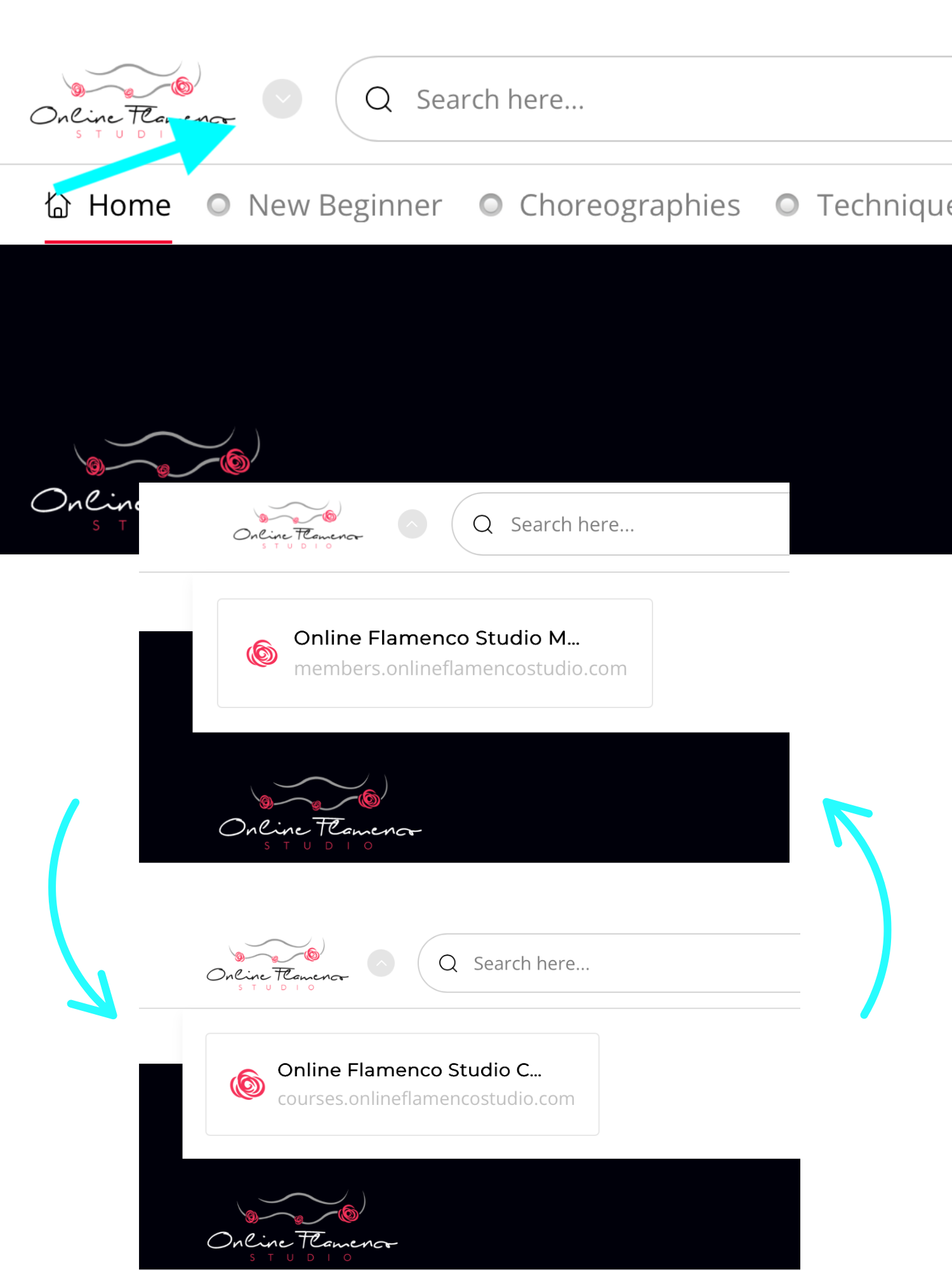
The Online Flamenco Studio has two sites: 1 for individual courses and 1 for membership. If you have access to both, you can switch between them by clicking the arrow next to the website logo.
Yes! We have a comprehensive resource guide for flamenco dancers that covers shoes, accessories, practice floors, music, and more. You can check it out here.